Looking up stock
When you need to check what each branch holds of a product and read its stock movement history.
Check branch stock and the ledger
- In Buying and Stock, open Inventory and make sure the Stock lookup tab is selected.
- Click Find a product, type a product word or SKU (such as
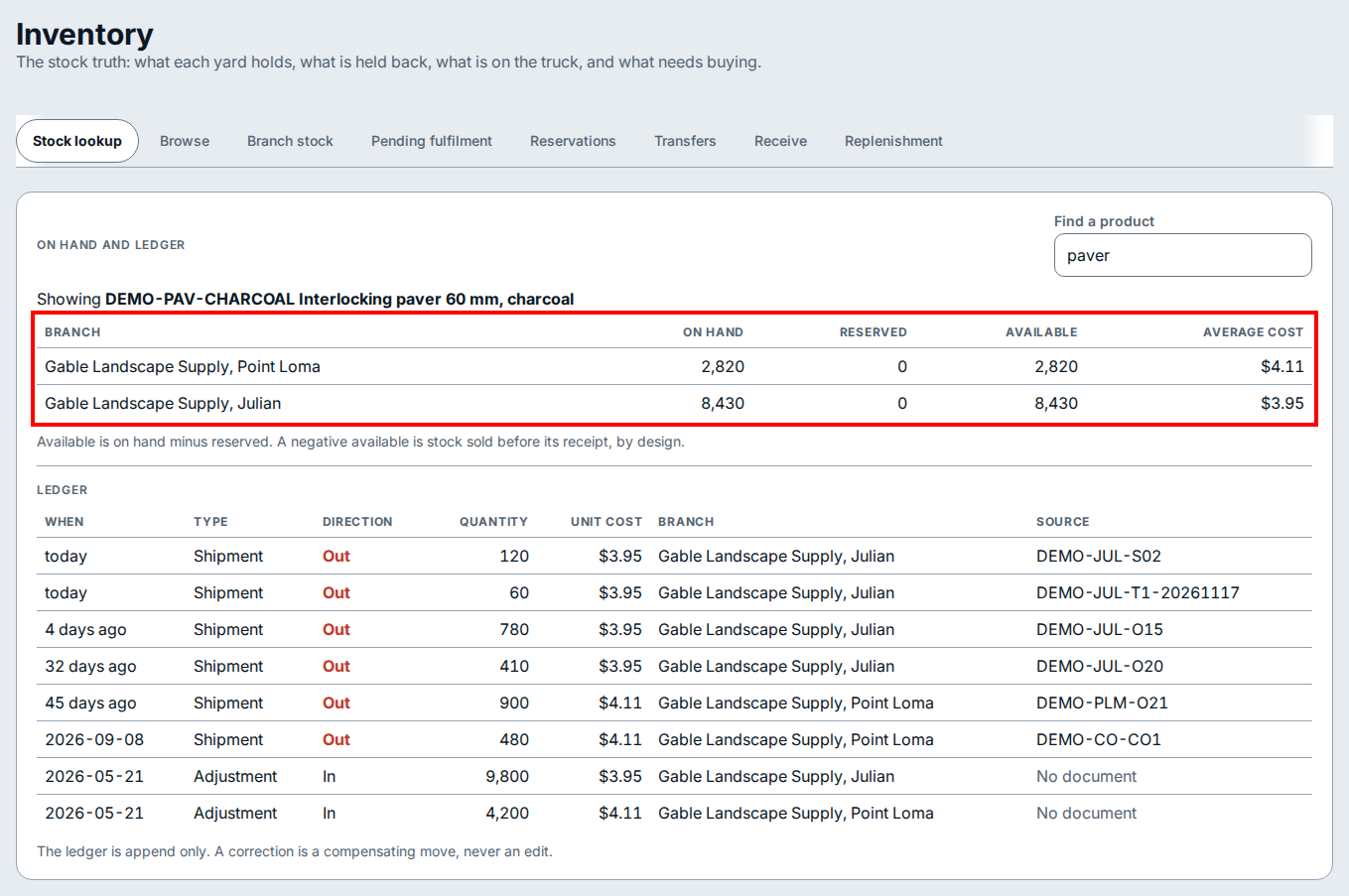
paver), and click the matching product in the list. - Read the branch stock table under On hand and ledger to see the on hand, reserved, available, and average cost figures for each branch.
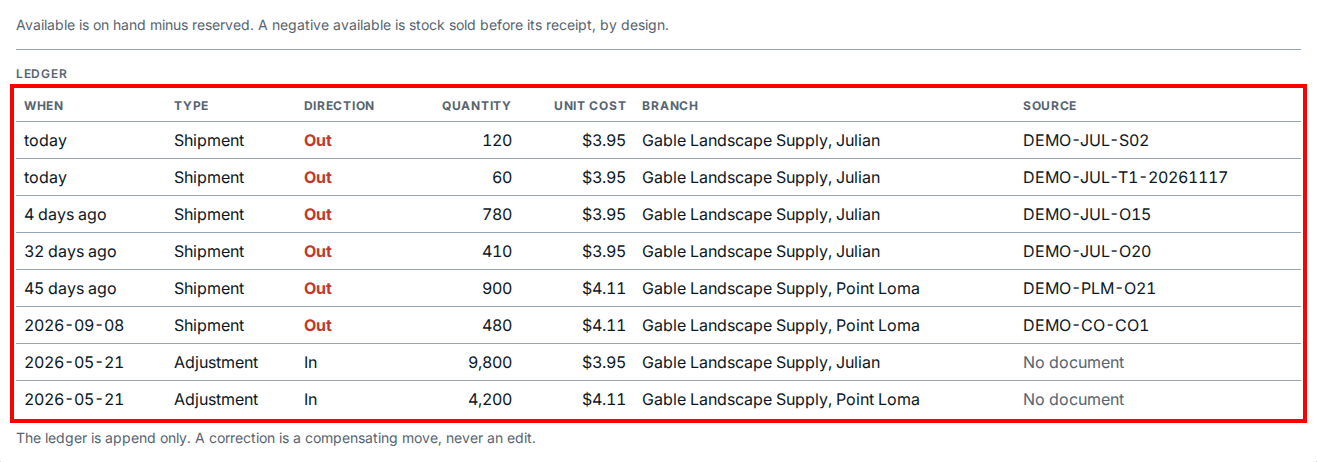
- Read the Ledger table below the branch rows to trace each shipment or adjustment by direction, quantity, unit cost, branch, and source document.
If you see this
- Available is on hand minus reserved. A negative available is stock sold before its receipt, by design. Customer orders have reserved more of the product than is currently on hand at the branch, so incoming stock is needed to cover those commitments.
- The ledger is append only. A correction is a compensating move, never an edit. Existing ledger rows are permanent; record a new adjustment or transfer to correct a stock count.