Your run
When you open Drive on your phone to check your truck's run and start the next stop.
Check your run and open the next stop
Drive runs on a phone sized screen for the driver in the truck cab.
- Open Drive on your phone to view My run.
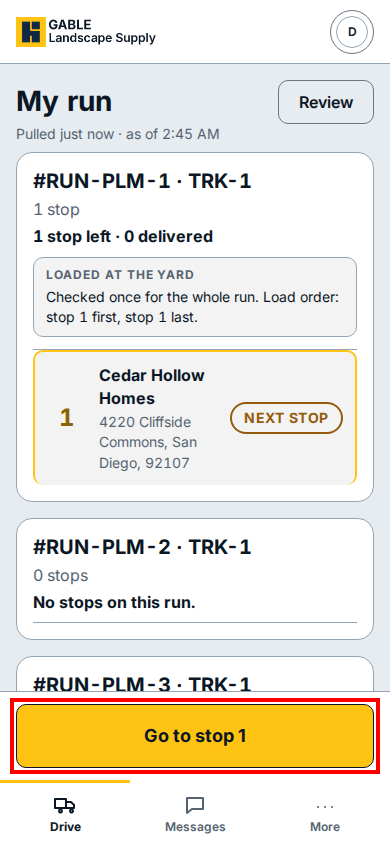
- Check your active run card to see how many stops remain (such as 1 stop left · 0 delivered), the load order checked at the yard, and the customer address for the next stop.
- Click Review at the top right if you need to check the run details before leaving the yard.
- Click Go to stop 1 at the bottom of the screen to open the first stop on your run.
If you see this
- 1 stop left · 0 delivered: shows how many stops are still open on the run and how many you have completed.
- No stops on this run.: the dispatcher has not assigned any delivery stops to that run card yet.