The load board
When you open Dispatch and Load Building to see what deliveries are waiting for a truck at your yard.
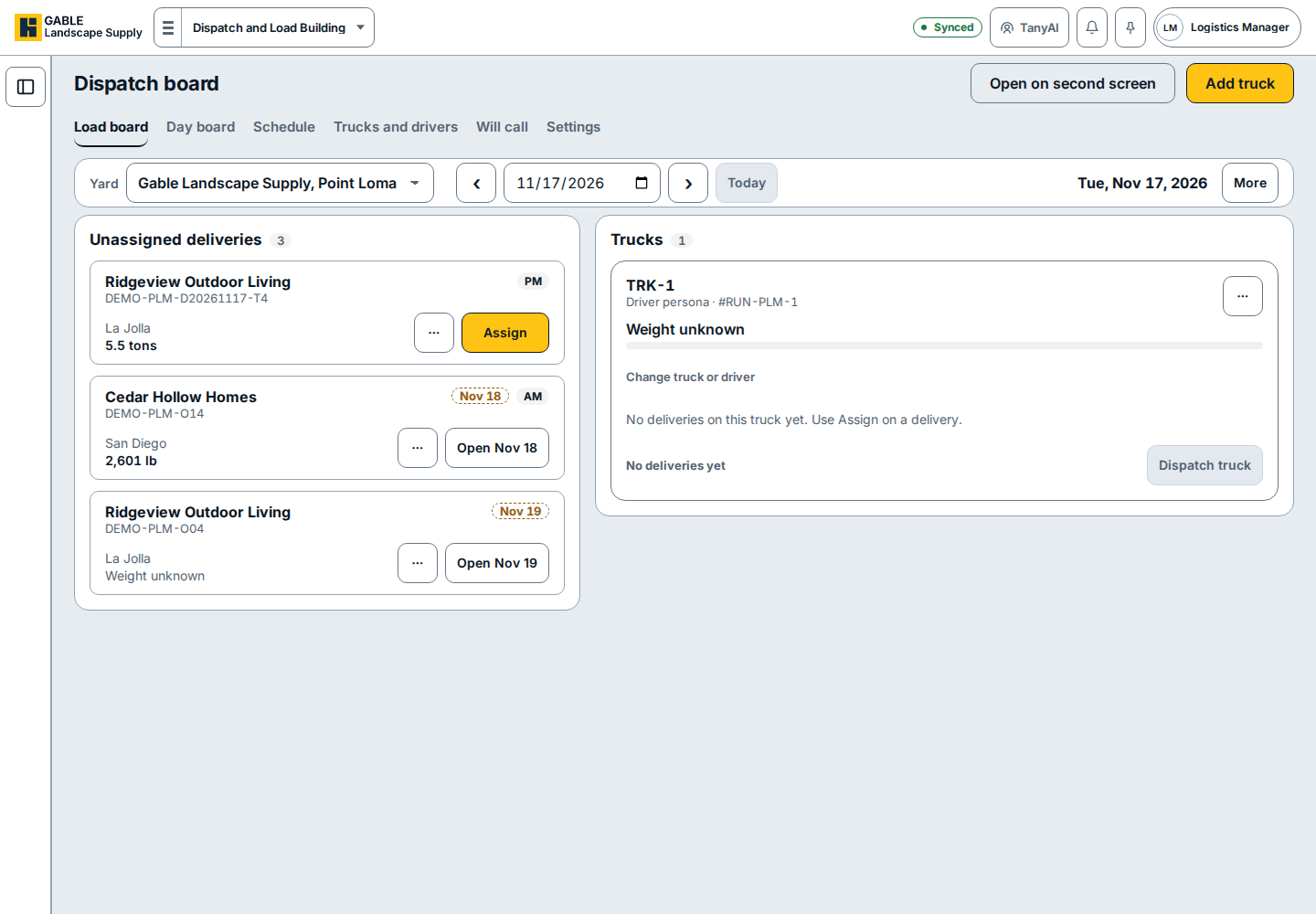
Read the board
- Open Dispatch and Load Building and check that you are on the Load board tab under Dispatch board.
- Check Yard at the top left of the board to make sure your yard is selected, or click Today to jump to the current delivery board.
- Look under Unassigned deliveries on the left to see delivery sales that do not have a truck yet, along with each customer, destination, and weight.
- Look under Trucks on the right to see each open truck (such as TRK-1) and its run number.
- Switch to Day board, Schedule (where the unassigned list is headed Not on a truck), Trucks and drivers, Will call, or Settings along the tab bar when you need the other dispatch views.
If you see this
- No deliveries yet. The truck card is open for the run, but no sale has been assigned to it yet. Click Assign on a delivery card to load it.
- Weight unknown. The order or truck has items with no weight recorded yet. You can still assign the delivery to a truck.