Opening a truck
When you need to add a truck and driver to build a run for your yard.
Open a truck for the run
- Click Add truck at the top right of the Load board (or click New truck on the Day board).
- In the Open a truck for this day dialog, click the Truck box and pick the truck for the run.
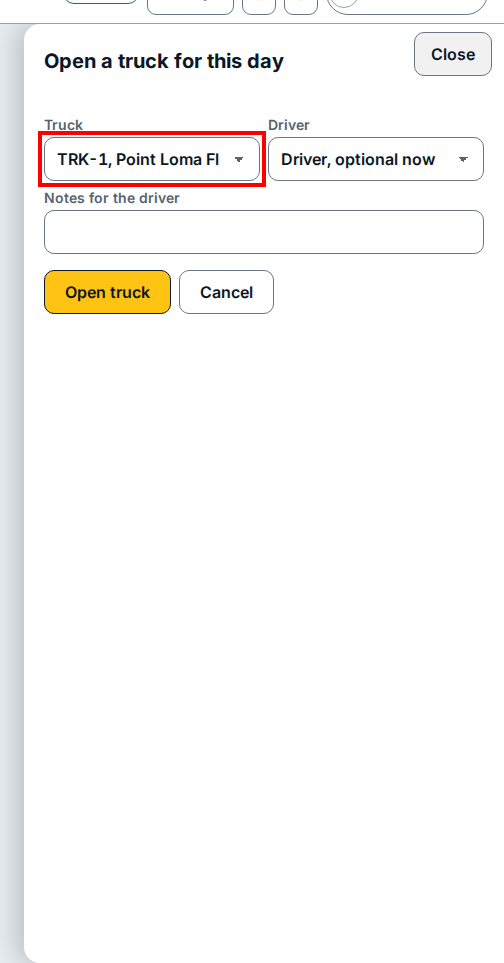
- Click the Driver box and pick the driver (or leave it optional while you plan the load).
- Type any delivery instructions in Notes for the driver.
- Click Open truck (or click Cancel to close the dialog without adding a run).
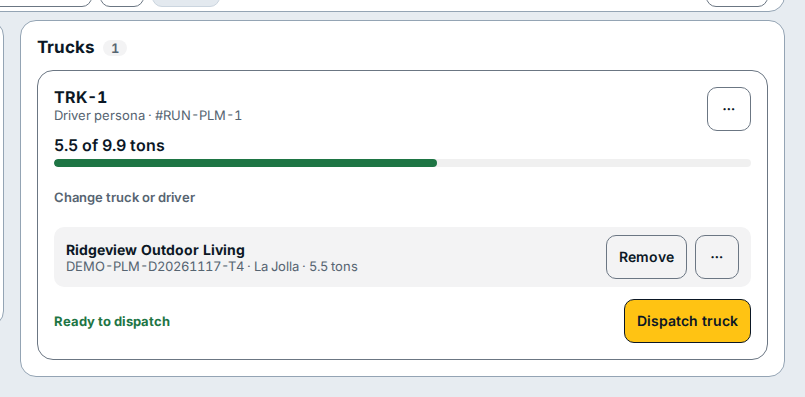
- A card for the truck (such as TRK-1 on
#RUN-PLM-1) appears under Trucks, showing the weight on board, Change truck or driver, and Remove beside each loaded stop.
If you see this
- Ready to dispatch. The truck has at least one staged stop on board and can be sent out with Dispatch truck.
- This load is dispatched. It is a record now, not a plan. The run has already been sent out to the driver; open a new truck for additional loads.