The quote list
When you need to find a quote in Quote Desk.
Search quotes and filter by status
- Open Quote Desk from the top bar so the Quotes heading appears above the list.
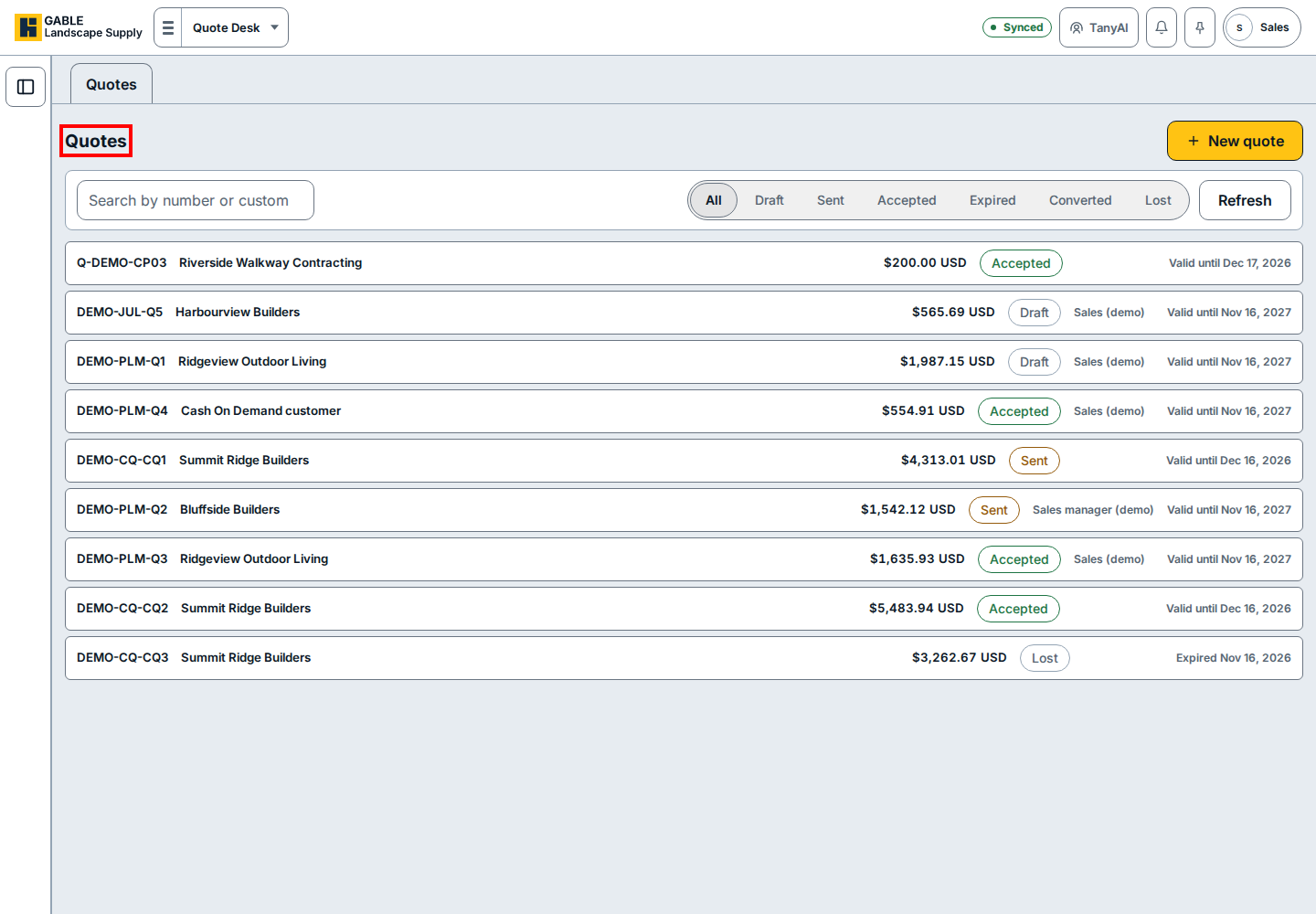
- Type the quote number or the customer's name in Search by number or customer to narrow the list.
- Click a status button across the filter bar (such as Draft, Sent, or Accepted, or All to show every quote).
- Click Refresh on the right side of the filter bar to reload the list.
- Click the quote row you want to open, or click New quote at the top right to start a new quote.
If you see this
- Cash On Demand customer: the quote is for a customer who pays on pickup or delivery instead of using a house account.
- Valid until: the quote is still open and within its validity window.
- Expired: the quote has passed its validity window; click Expired or Lost in the filter bar to review quotes that did not close.