Account sale
When an account customer orders materials at the counter for delivery.
Ring an account sale for delivery
- Open Customer and click Account.
- Type the customer's name or account number in Search name or account # and click your customer.
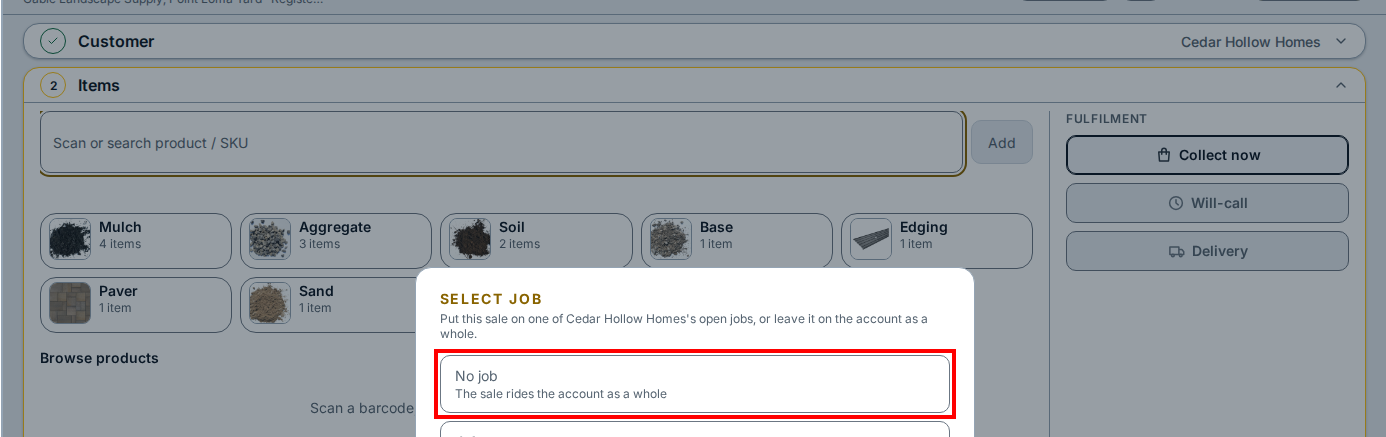
- In the Select job box, click No job to leave the sale on the account as a whole.
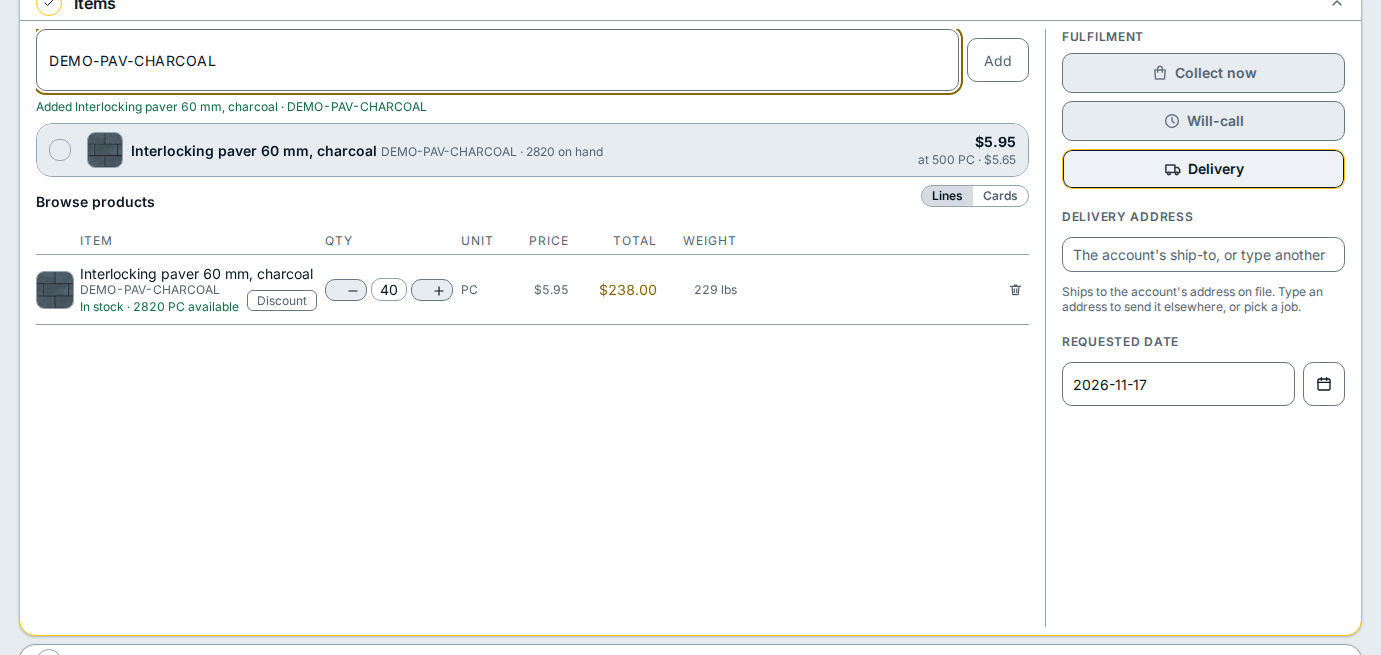
- Open Items, click Scan or search product / SKU, and type the product name or code in any word order.
- Click the matching product row to add the line, then type the amount in the quantity box.
- Under Fulfilment, click Delivery to ship to the customer's address on file.
- Type the date under Requested date or click the calendar button beside it.
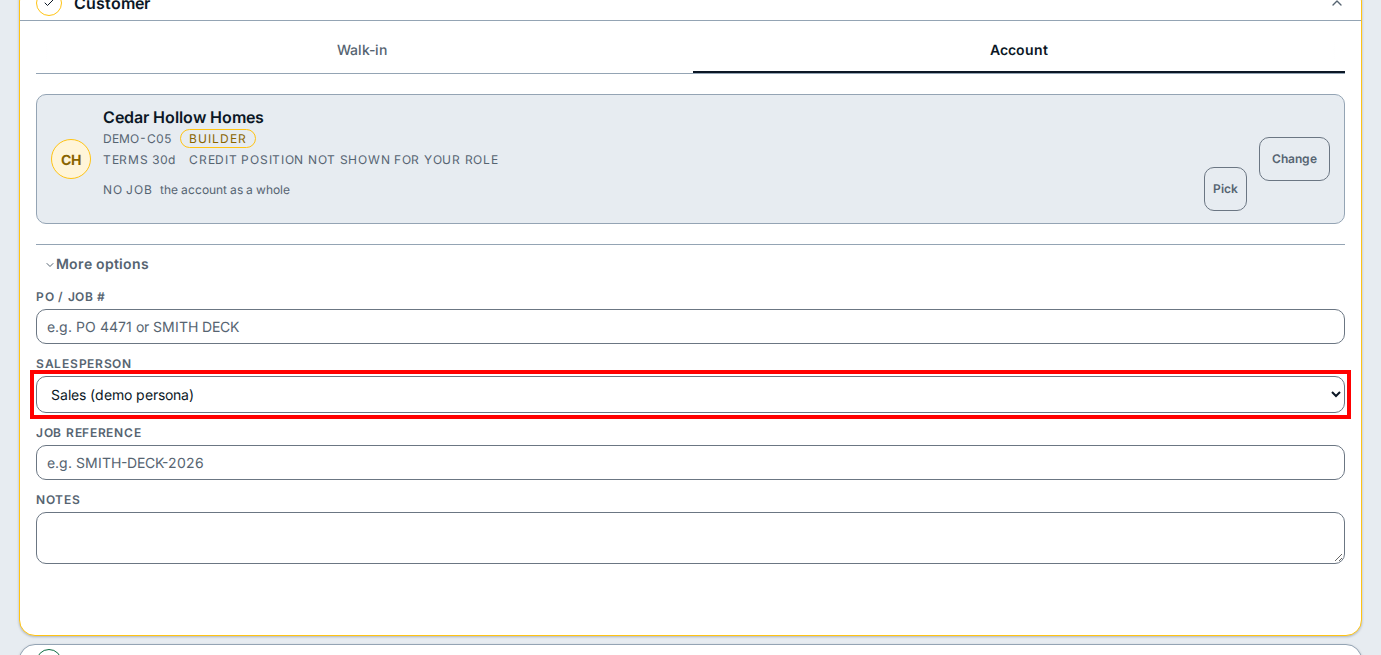
- In Customer, click More options and choose the salesperson under Salesperson.
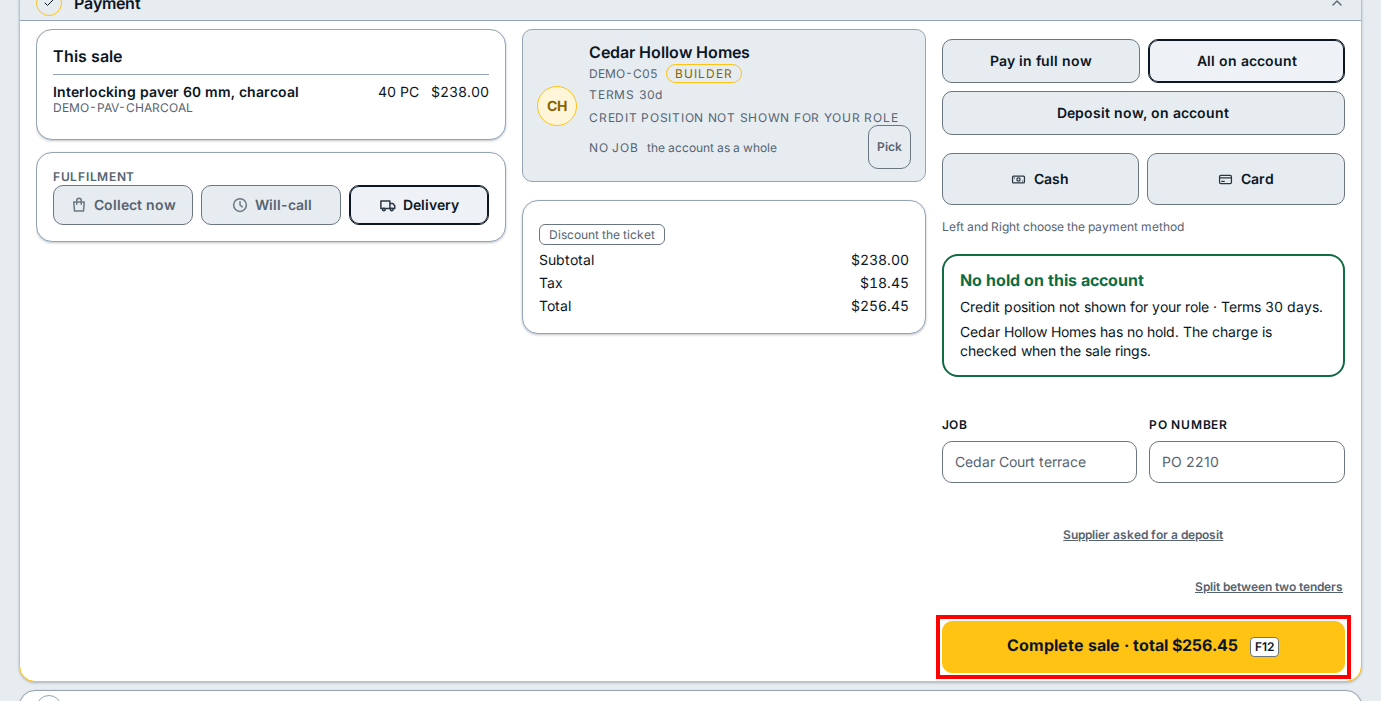
- Open Payment and click All on account.
-
Click Complete sale · total to place the delivery order.
-
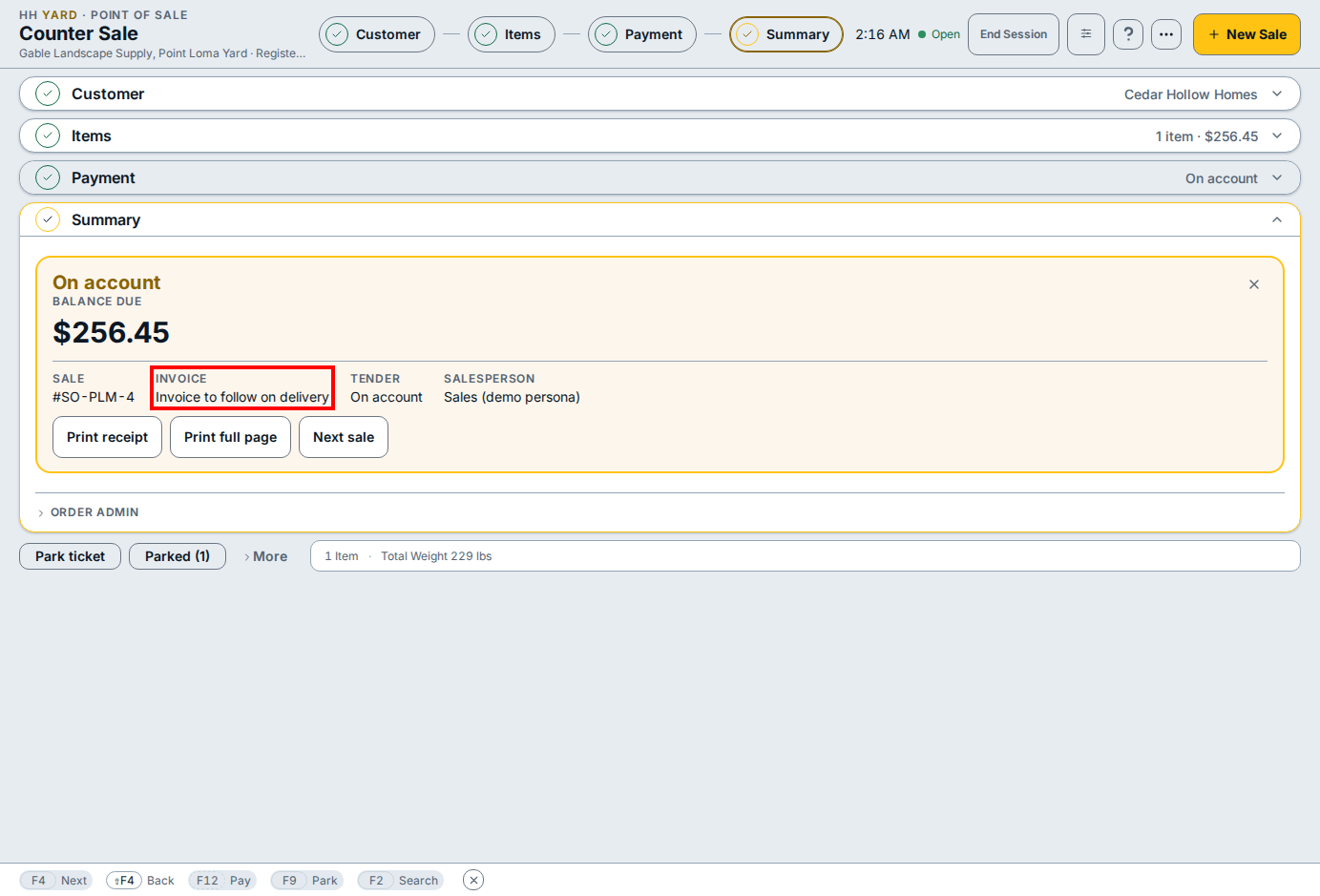
On the Summary confirmation card, check that the invoice field reads Invoice to follow on delivery, then click Print receipt or Next sale.
If you see this
- The register session is closed. Open a session to scan and sell. Click Open Session in the header before ringing the sale.
- No hold on this account. The customer's account is clear to take the charge when the sale rings.
- Invoice to follow on delivery. An account delivery is invoiced once the driver gets the signature at the stop.